
Dates belong in one record
Cheque date, presentation, dishonour memo, and any communication with the drawer should sit together. Demand notice and complaint windows under Section 138 are short. Missing a date can weaken the entire matter.
Cheque Bounce workflow
A cheque bounce (a dishonoured cheque) is when a bank does not pay a cheque. In India, many such matters are prepared as a Section 138 notice and related drafts under the Negotiable Instruments Act. Keep the cheque, bank memo, parties, and dates together—those dates matter. LawGPT’s Cheque Bounce workflow asks for those facts and helps you generate a Section 138 demand notice, complaint-oriented drafts, a case summary, and a next-steps brief you can edit.

Plays inside LawGPT · no YouTube redirect
The problem
When a cheque is dishonoured, the notice, chronology, and supporting papers have to stay consistent. This page does not list statutory notice or limitation periods; confirm those from the instruments and, where needed, a lawyer.
Cheque date, presentation, dishonour memo, and any communication with the drawer should sit together. Demand notice and complaint windows under Section 138 are short. Missing a date can weaken the entire matter.
Keep the cheque (or a clear copy), the bank’s dishonour memo, account and party details, and proof of how the cheque was given and presented.
Generic templates miss cheque numbers, bank memos, and chronology. A structured workflow reuses those facts in the Section 138 notice and related drafts.
Why LawGPT
You create a Cheque Bounce case, answer questions about the cheque, dishonour, parties, and dates, upload evidence, generate drafts, optionally request lawyer review, and download a package of those materials.
Answer focused questions about the cheque, dishonour, parties, and dates—so the case is structured from the start.
Generate a Section 138 demand notice and complaint-oriented drafts tailored to the facts you provide.
Hand the package to lawyer review when you want professional judgment on top of AI drafts.
Download generated documents, versions, and supporting materials in one organized package.
Interactive preview
Step through real LawGPT screens—from creating the case to downloading the filing package.
1 · Select
Create a case and select Cheque Bounce as the matching legal workflow.
Outputs
This workflow currently generates a Section 138 Demand Notice, complaint-oriented drafts, a Case Summary, and a Next Steps Brief. You can edit and version them. They are not automatically court-valid or lawyer-approved unless you use Lawyer Review+ on selected materials.
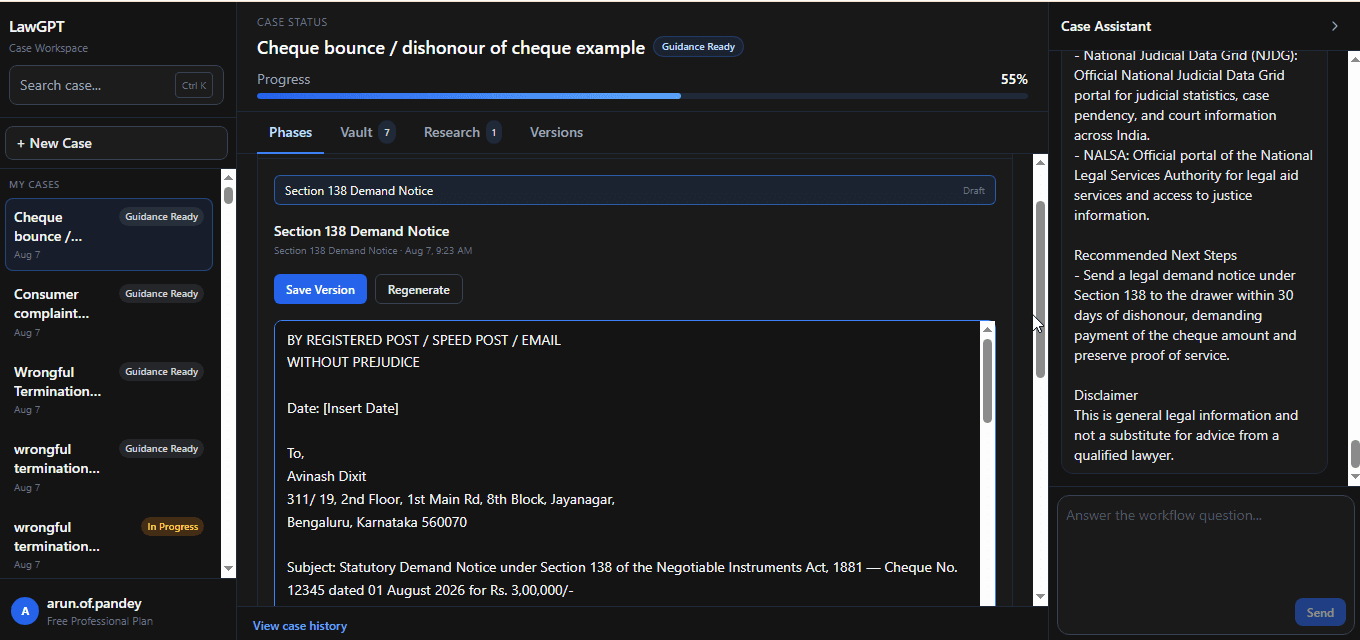
A statutory demand notice capturing cheque details, dishonour facts, and the payment demand.
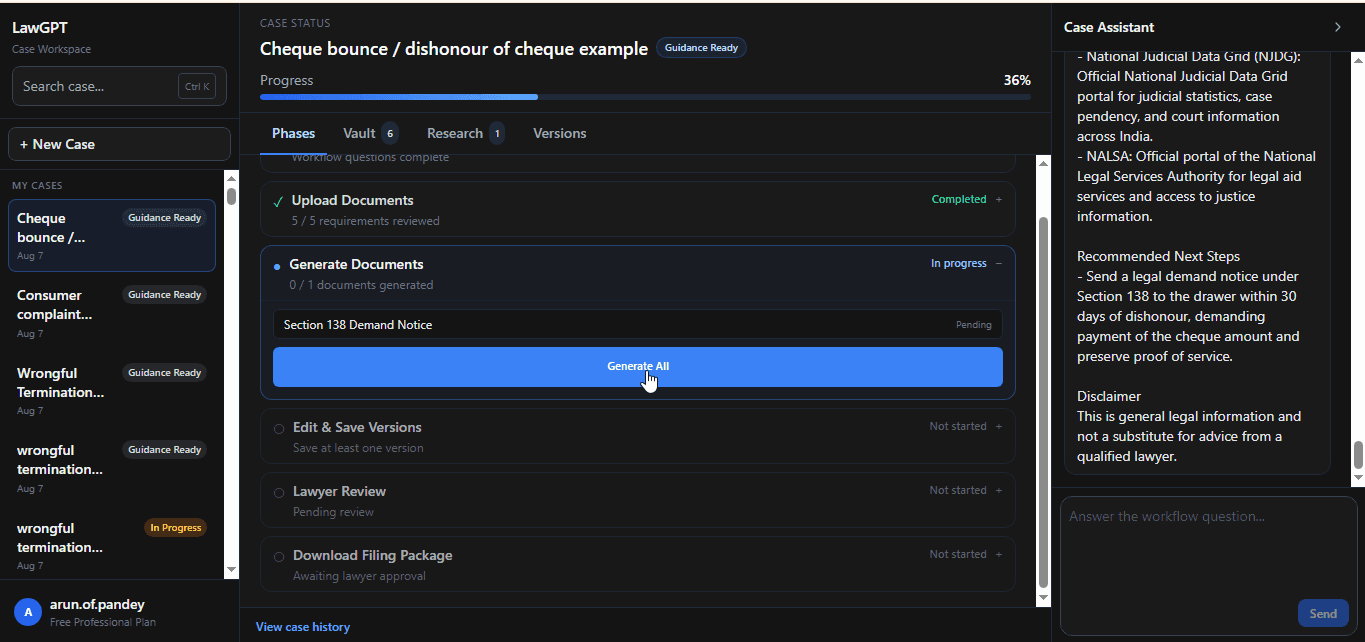
Document generation for the complaint package aligned to your case summary and chronology.
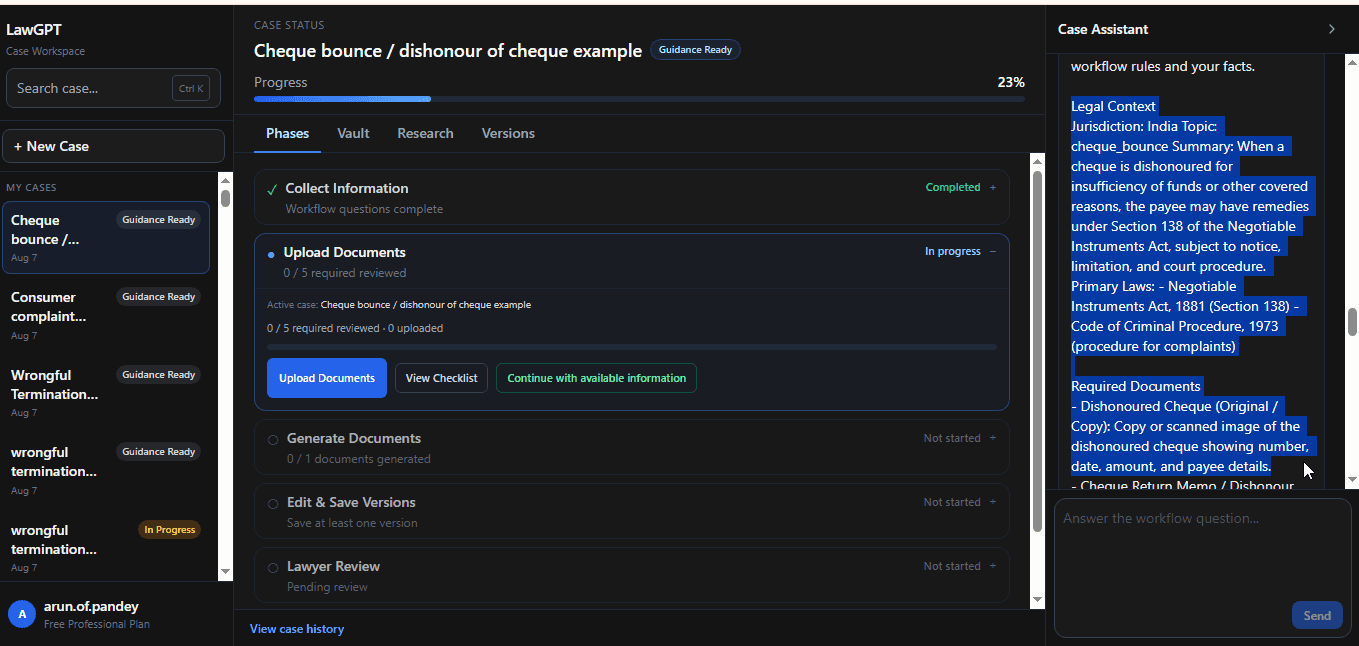
A structured summary of parties, cheque facts, and key dates used across the workflow.
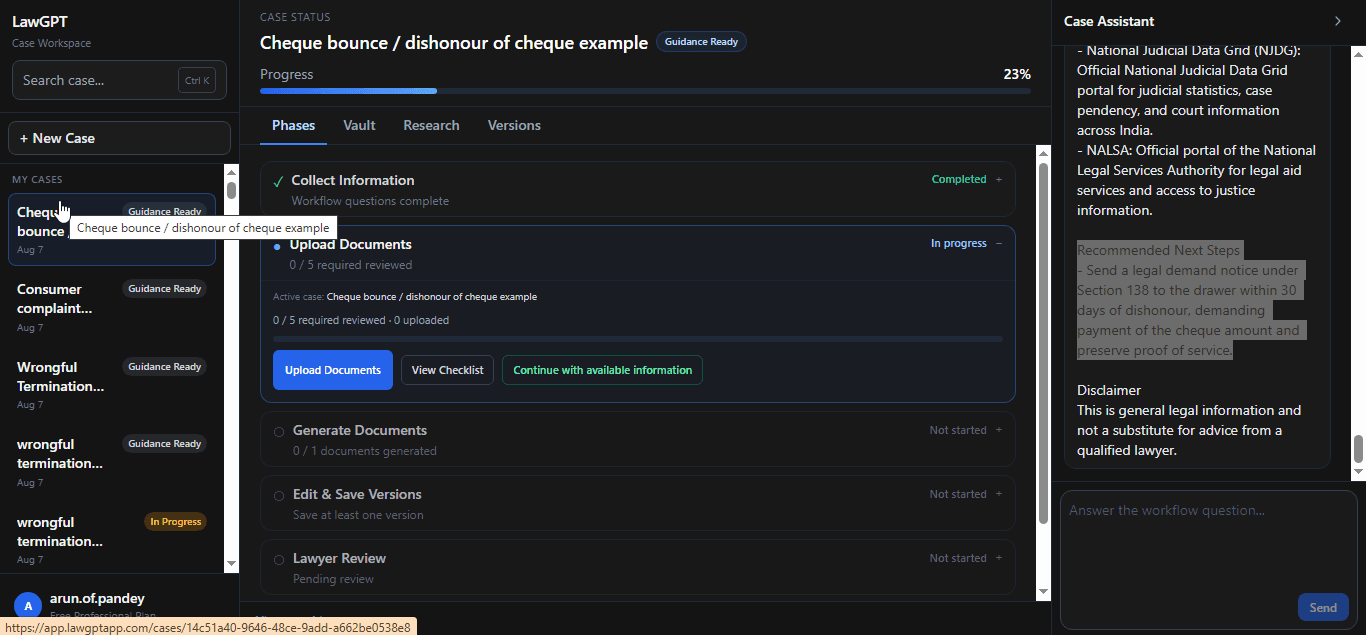
Recommended procedural next steps so you know what to do after documents are ready.
Timeline
A clear sequence designed like software—not a maze of disconnected forms.
Select Cheque Bounce and name your matter.

Complete intake with Case Assistant in the workspace.
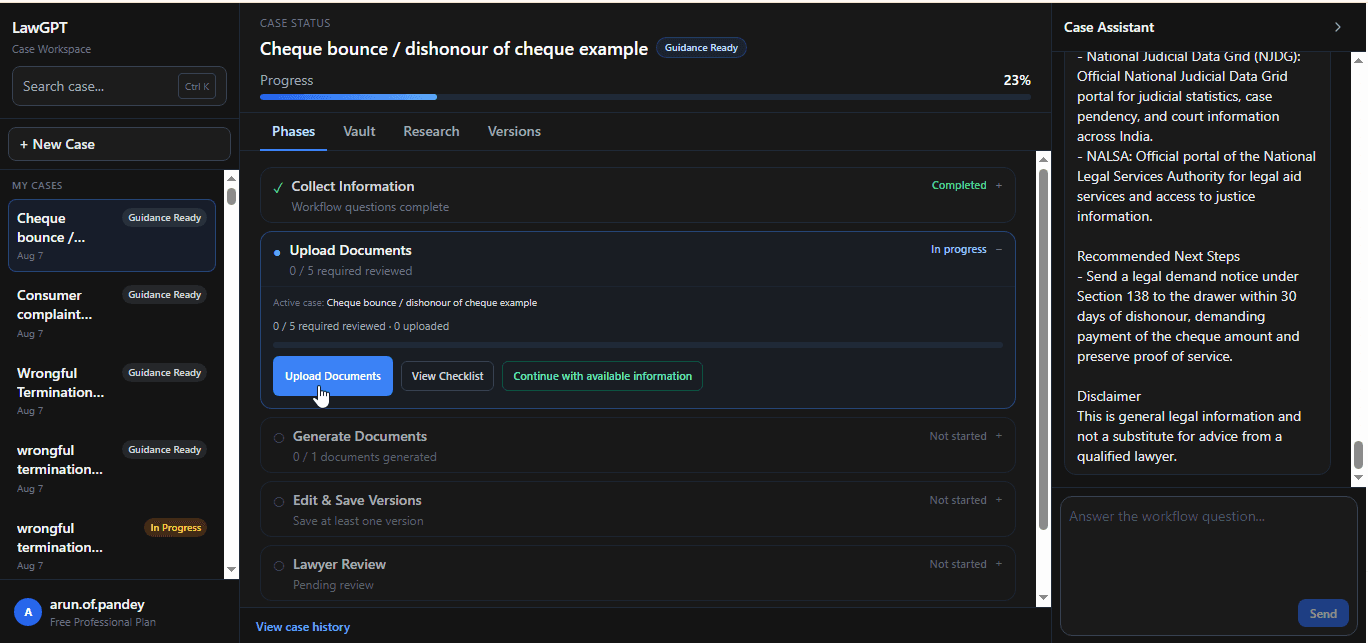
Add the cheque, bank memo, and supporting documents.
Produce notice and complaint drafts from your structured facts.
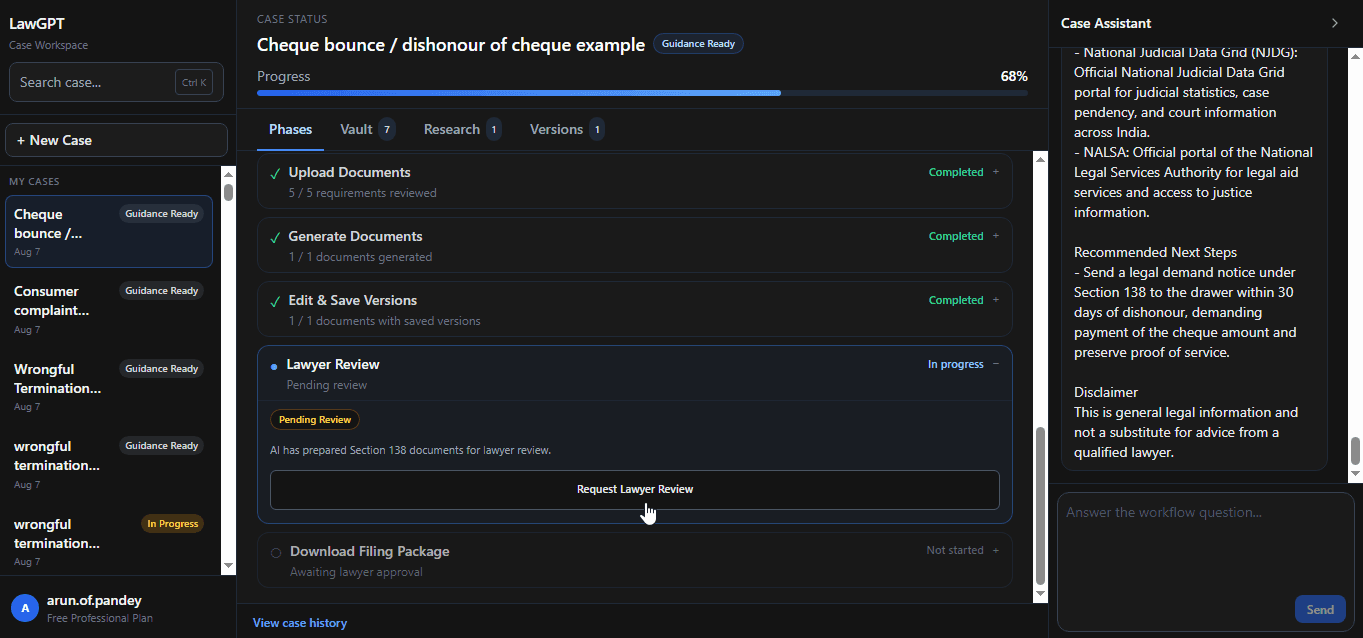
Optionally request professional review before filing.
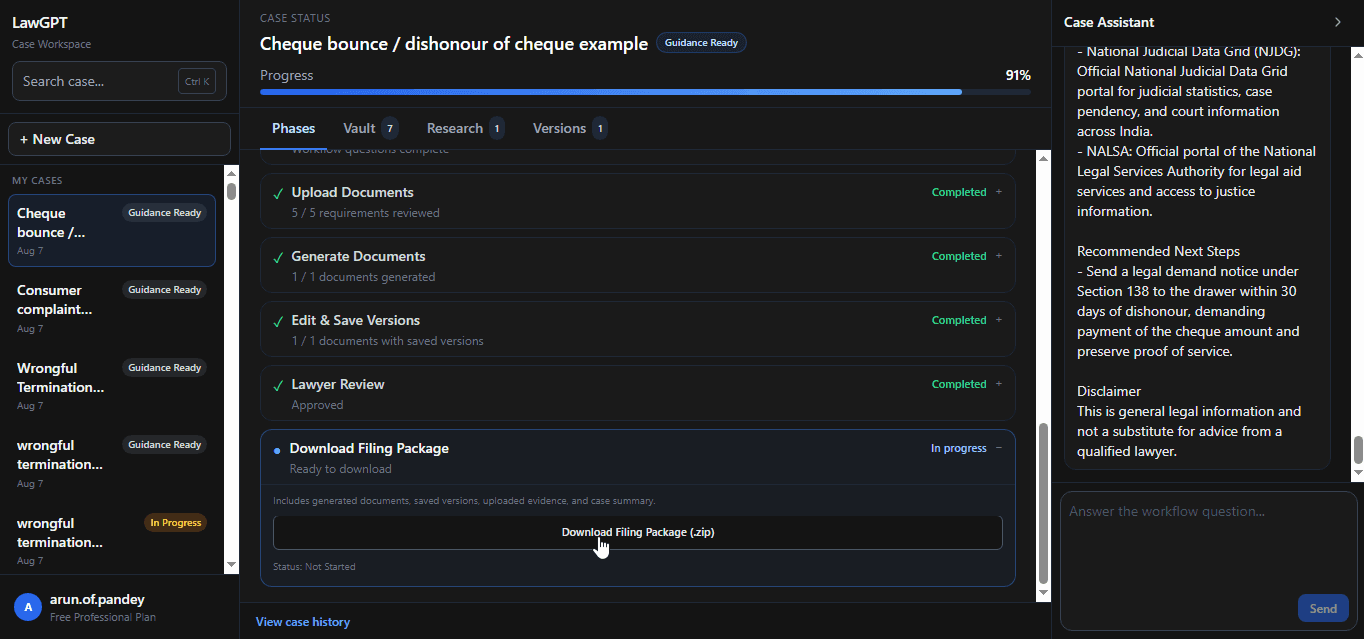
Export a complete filing-ready package.
Authorities involved
Cheque Bounce workflows are structured with the forums commonly involved in Section 138 proceedings.
Authority
Primary criminal court forum for Section 138 cheque bounce complaints.
Authority
Procedural pathway for lodging the complaint after statutory notice requirements are met.
Authority
Supporting institutional records that establish dishonour and non-payment facts.
Real product screens
Every image below is from the live Cheque Bounce workflow inside LawGPT.

Dashboard
Start and manage cheque bounce matters from one dashboard.
Chat
Collect cheque and dishonour facts through Case Assistant.
Notice
Edit a lawyer-grade demand notice generated from your answers.
Generate
Produce the drafts that feed your complaint package.
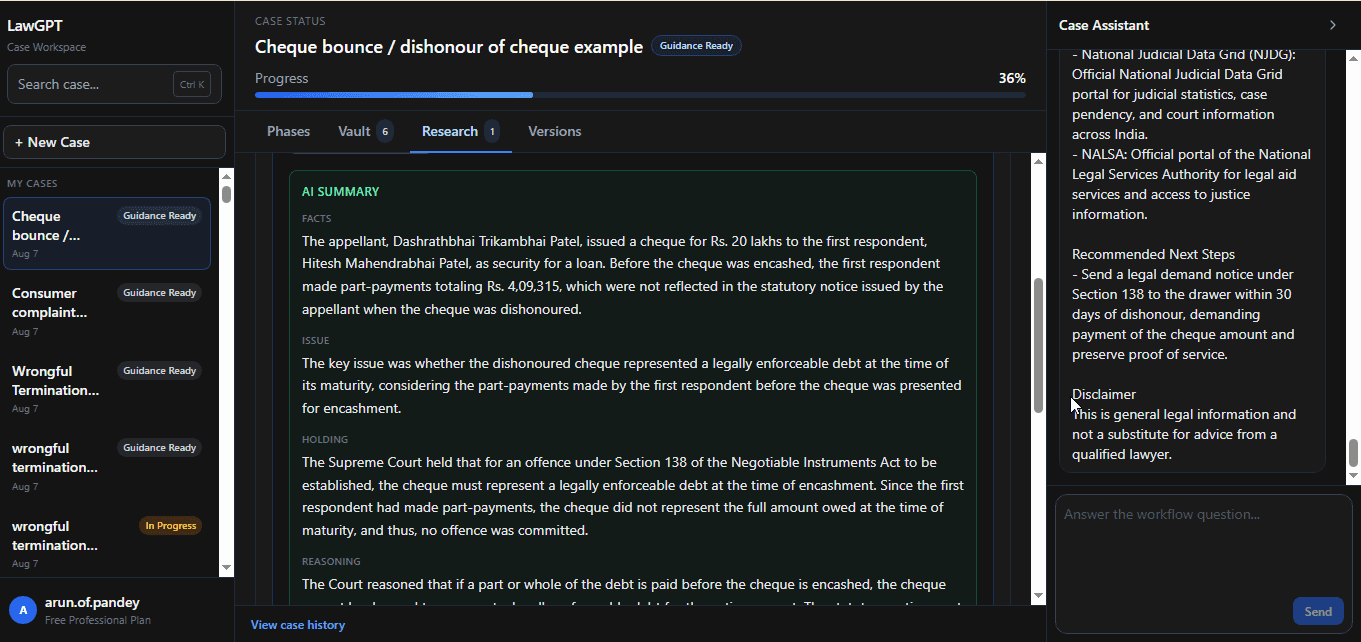
Research
Context and next steps linked to your case.
Package
Download the complete package when ready.
Product walkthrough
Explore every major product screen—from case creation to filing package.
Dashboard
Start from the LawGPT dashboard and create a new case.
FAQ
Straight answers about this workflow before you start.
A cheque bounce, or dishonoured cheque, is when the bank does not pay a cheque. People then often need a clear record of the cheque, the bank memo, the parties, and the dates before deciding next steps.
Related legal guides
Practical guides that pair with this workflow—then return to the platform when you are ready to act.
Related reading: AI legal document generation
Ready to begin
Answer guided questions, generate lawyer-grade documents, and leave with a package you can review, refine, and file.