
Information and documents to collect
Keep invoices, warranties, order IDs, delivery proofs, chat or email trails, photos of the defect, and a short chronology of what you asked the company to do.
Consumer Complaint workflow
A consumer complaint is how you record a defective product, poor service, refund dispute, or other consumer grievance and ask the company—and, if needed, a Consumer Commission—to address it. Gather invoices, warranties, chats, and a clear note of what went wrong and what you want. LawGPT’s Consumer Complaint workflow then collects those facts in order and helps you generate a legal notice, a Consumer Commission complaint draft, a case summary, and a next-steps brief you can edit before sending or filing.
Plays inside LawGPT · no YouTube redirect
The problem
A consumer complaint can be considered when a purchase or service did not match what was promised: a defective product, poor service, a refused refund, or a similar grievance. Whether a particular forum is the right next step depends on facts; this page does not set claim-value or filing rules.
Keep invoices, warranties, order IDs, delivery proofs, chat or email trails, photos of the defect, and a short chronology of what you asked the company to do.
People often have proof in different apps and no single record of the deficiency, the loss, and the relief they want.
A generic template will not capture your product, dates, or correspondence. A structured workflow keeps those facts with the notice and complaint drafts.
Why LawGPT
You create a Consumer Complaint case, answer guided questions about the product or service and the deficiency, upload evidence, generate drafts, optionally request lawyer review, and download a package of those materials.
Answer focused questions about the product or service, the deficiency, and your loss—so the case is structured from the start.
Generate a legal notice and Consumer Commission complaint drafts tailored to the facts you provide.
Hand the package to lawyer review when you want professional judgment on top of AI drafts.
Download generated documents, versions, and supporting materials in one organized package.
Interactive preview
Step through real LawGPT screens—from creating the case to downloading the filing package.
1 · Select
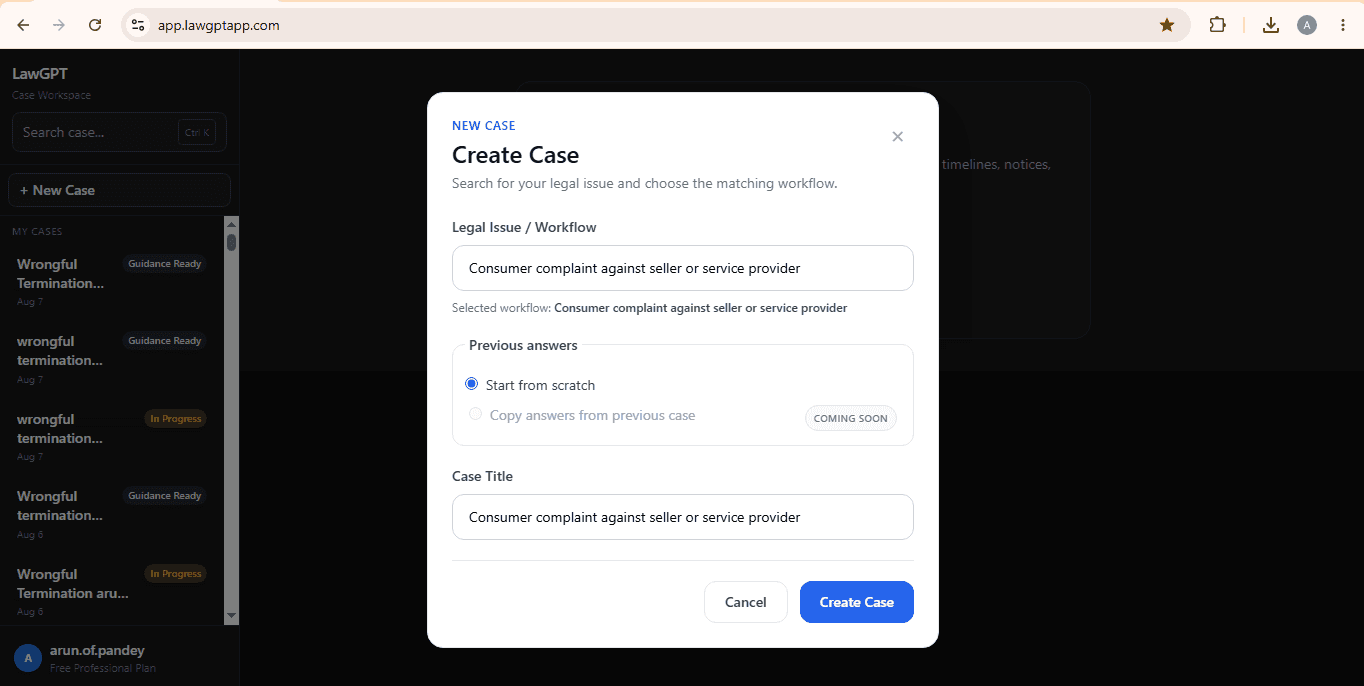
Create a case and select Consumer Complaint as the matching legal workflow.
Outputs
This workflow currently generates a Legal Notice, a Consumer Commission Complaint draft, a Case Summary, and a Next Steps Brief. You can edit and version them. They are not automatically court-valid or lawyer-approved unless you use Lawyer Review+ on selected materials.
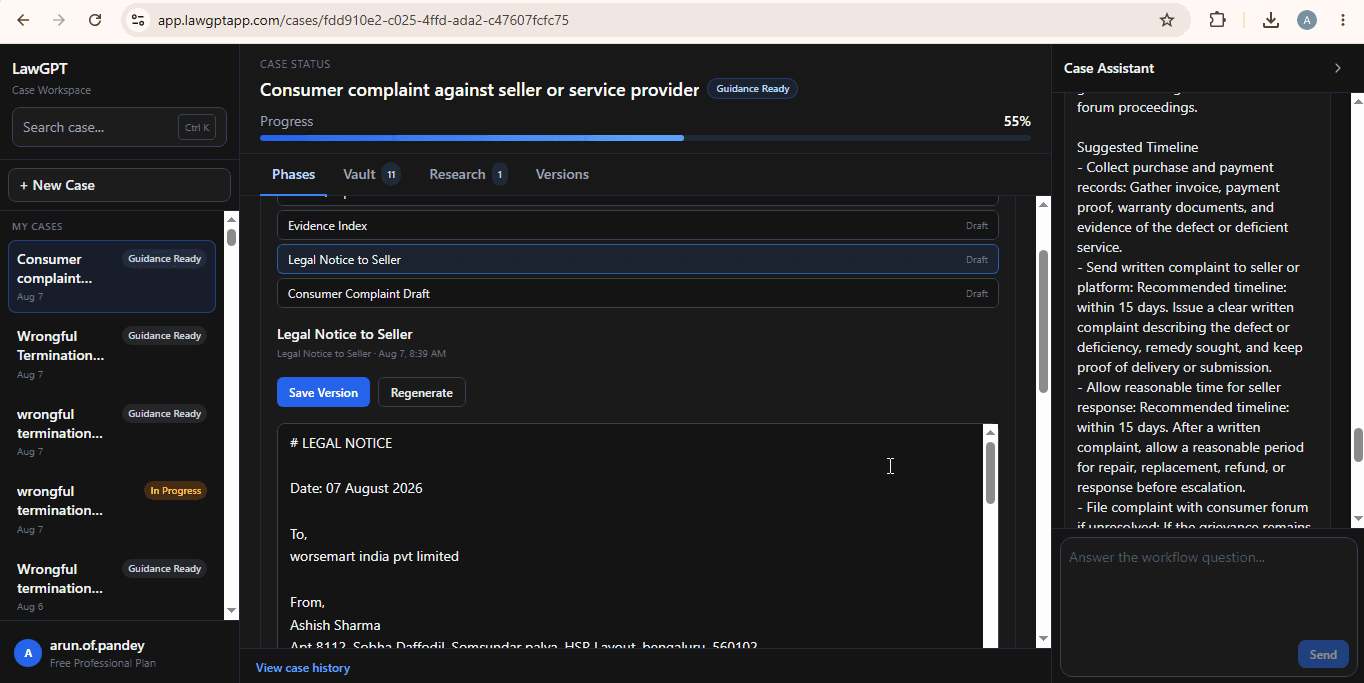
A formal notice capturing the deficiency, your loss, and the relief you are seeking from the opposite party.
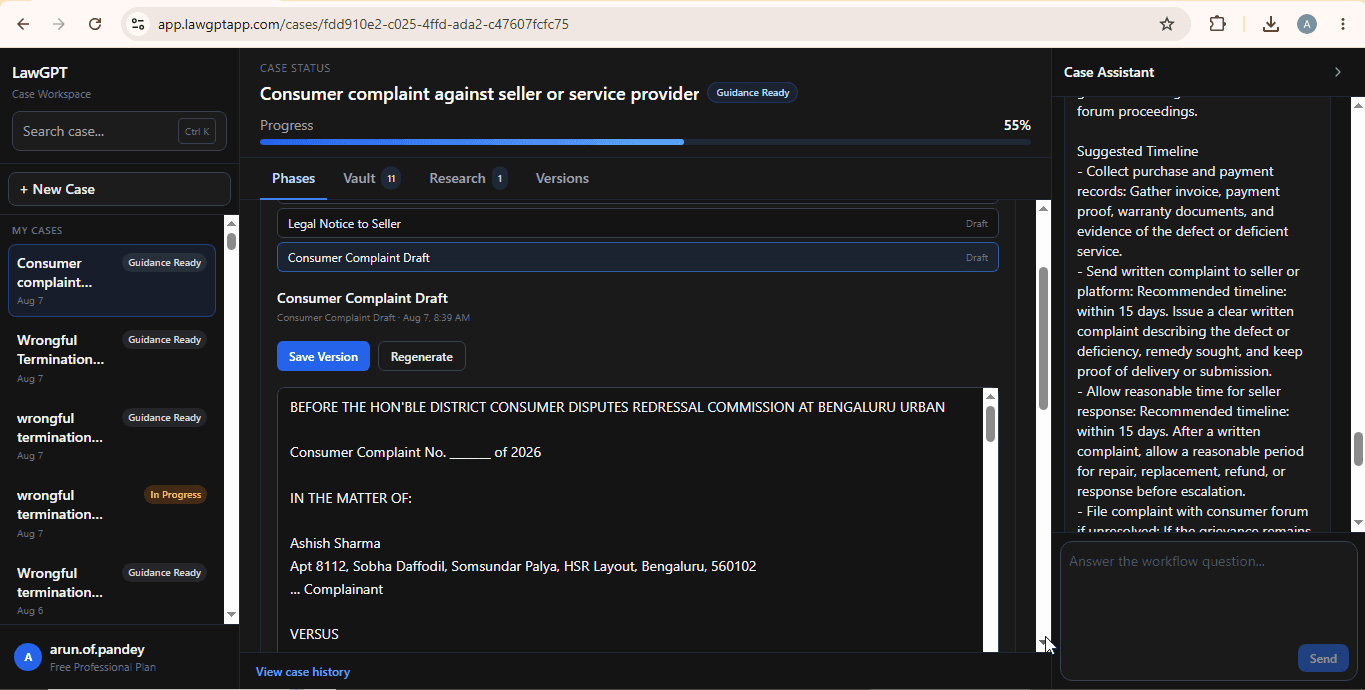
A complaint draft prepared for Consumer Commission proceedings, aligned to your case summary.
A structured summary of parties, timeline, and key facts used across the workflow.
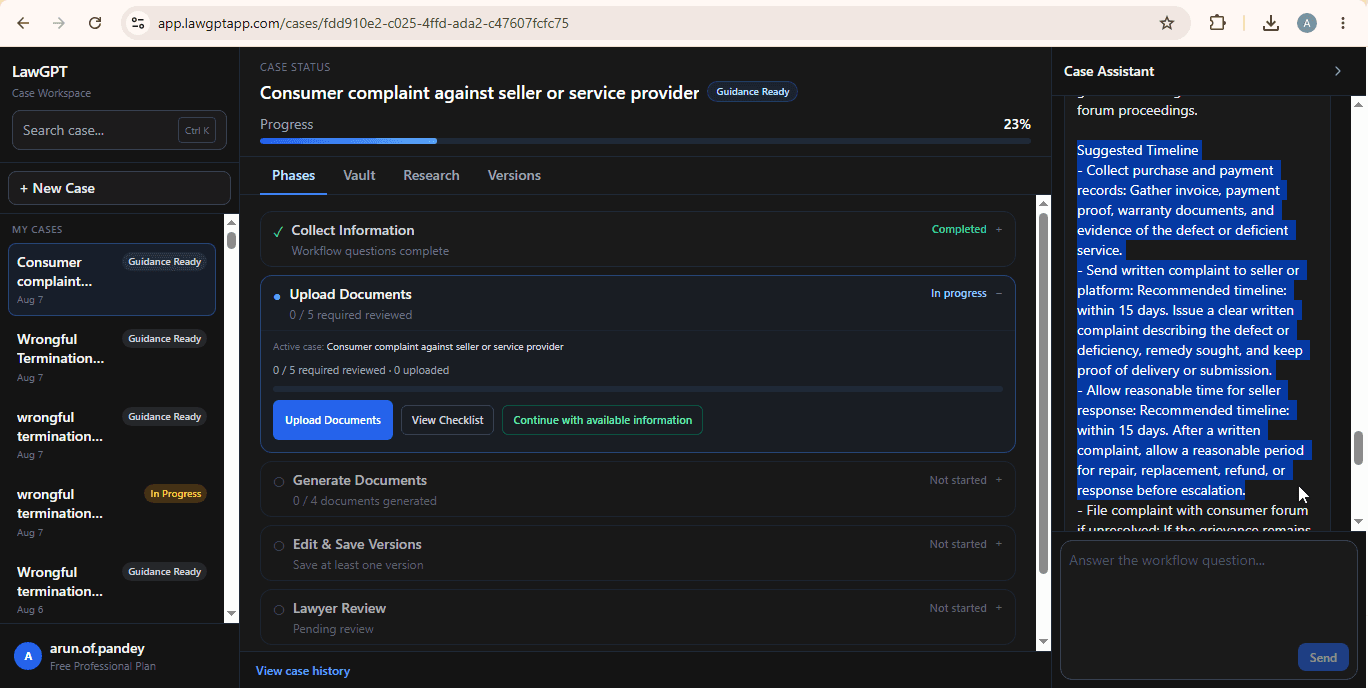
Recommended procedural next steps so you know what to do after documents are ready.
Timeline
A clear sequence designed like software—not a maze of disconnected forms.
Select Consumer Complaint and name your matter.
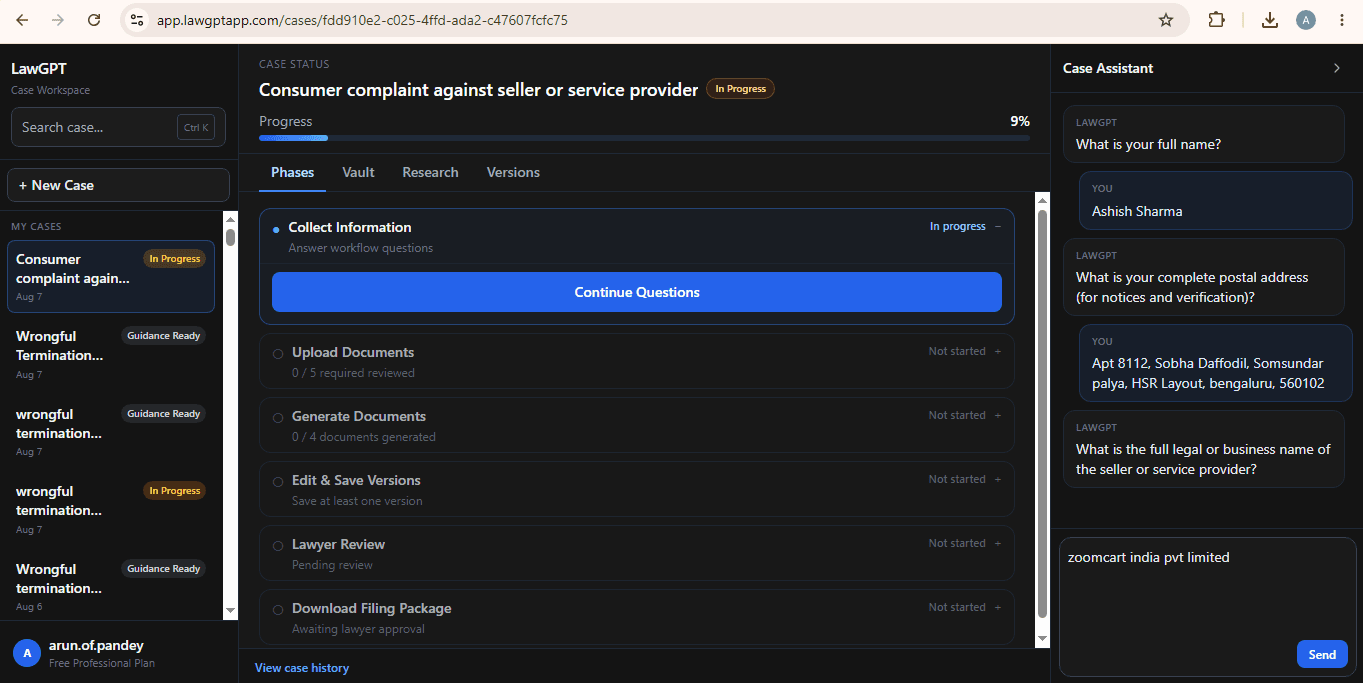
Complete intake with Case Assistant in the workspace.
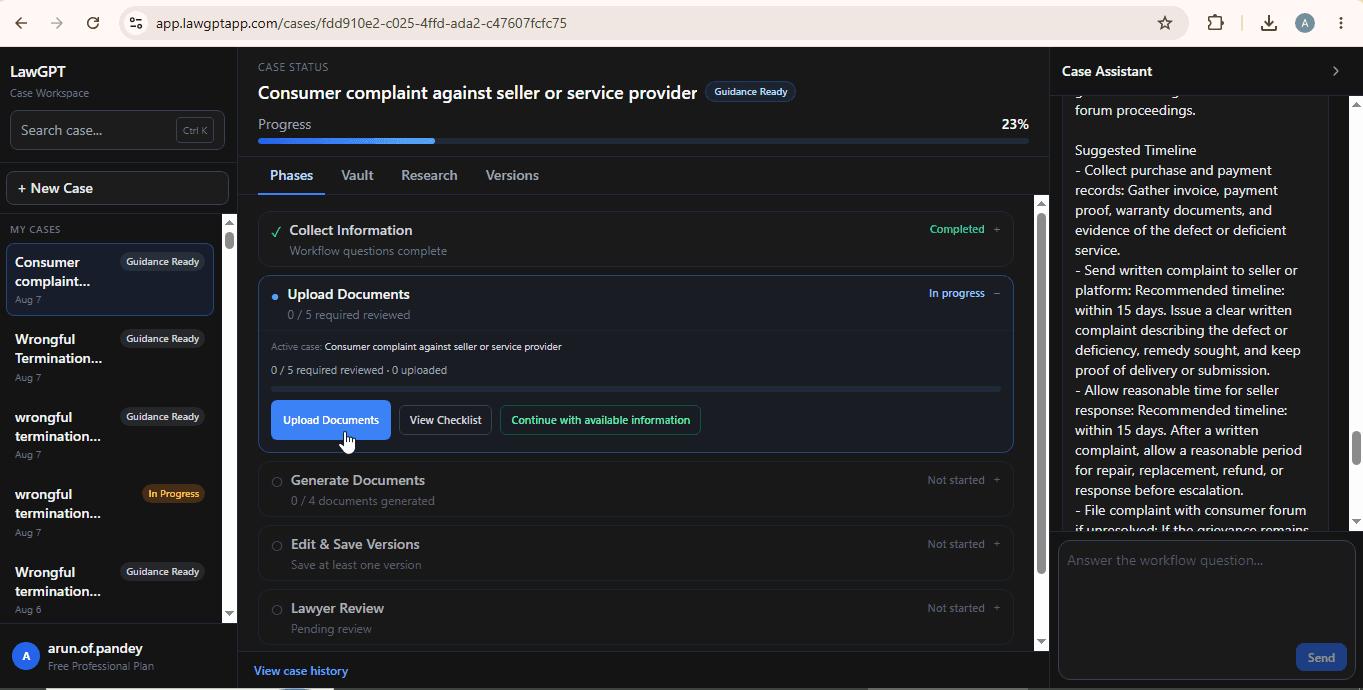
Add invoices, warranties, chats, and supporting documents.
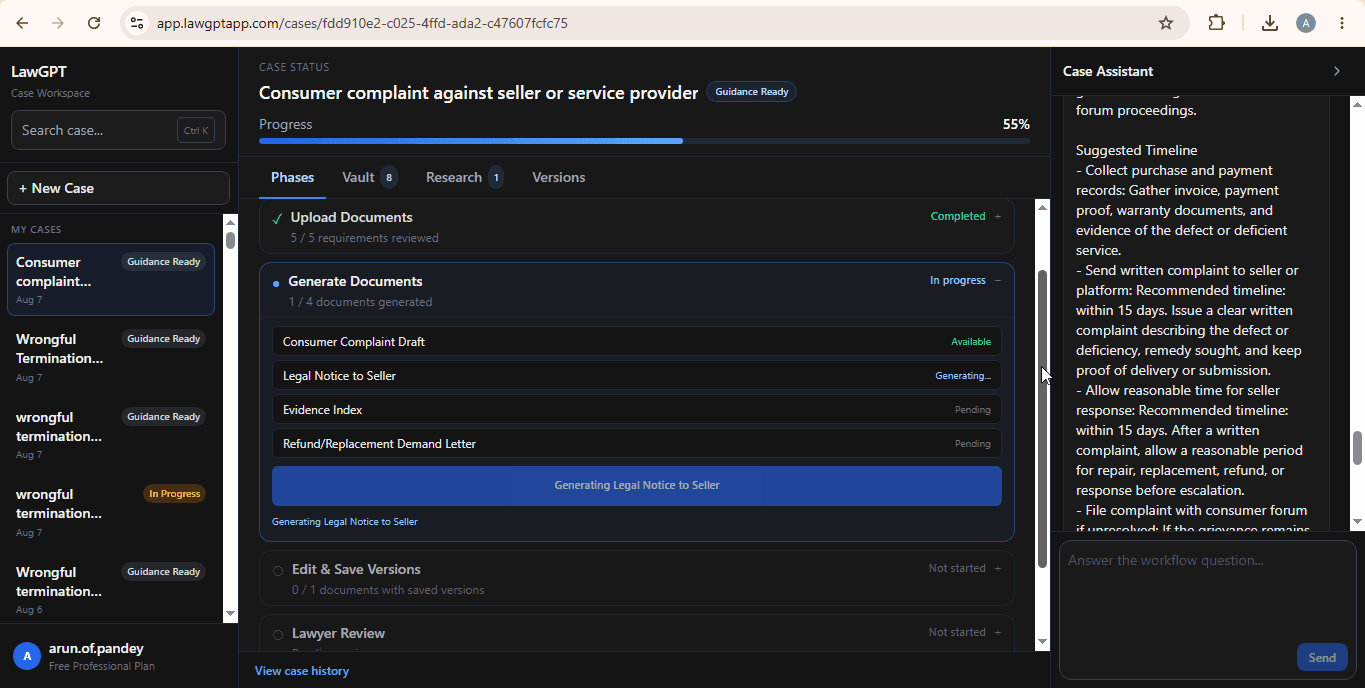
Produce notice and complaint drafts from your structured facts.
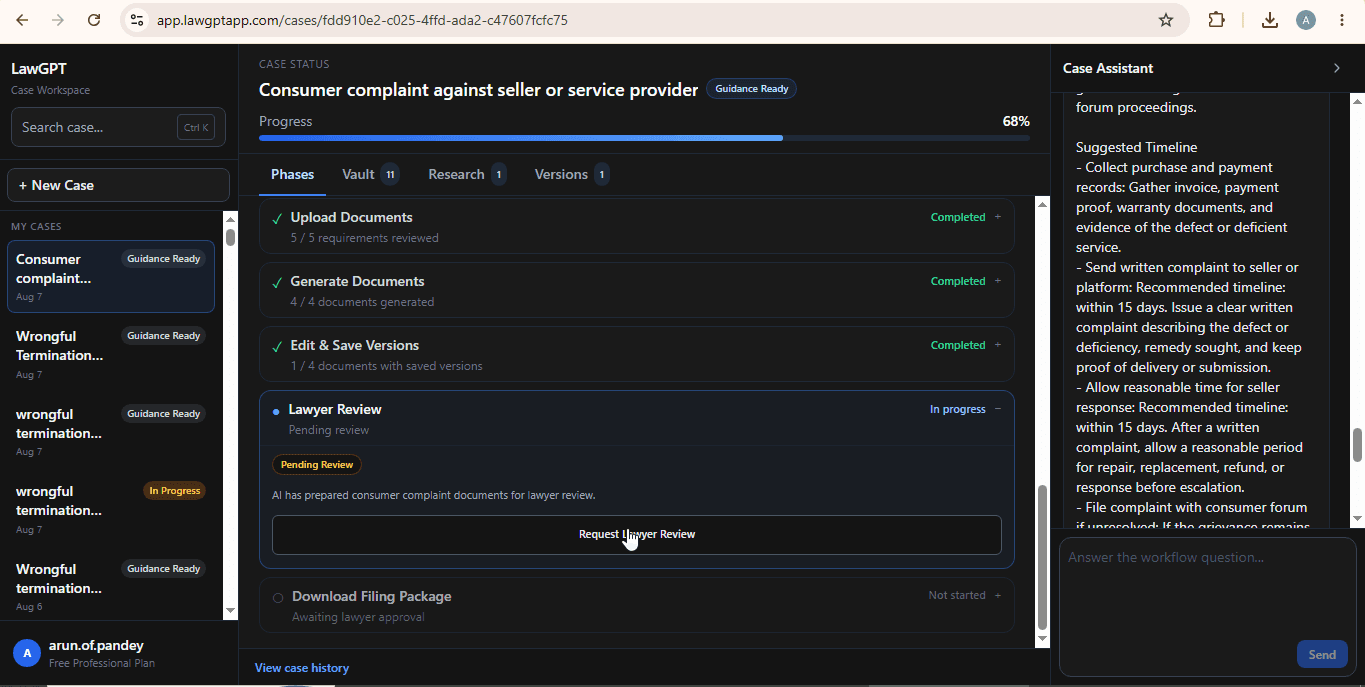
Optionally request professional review before filing.
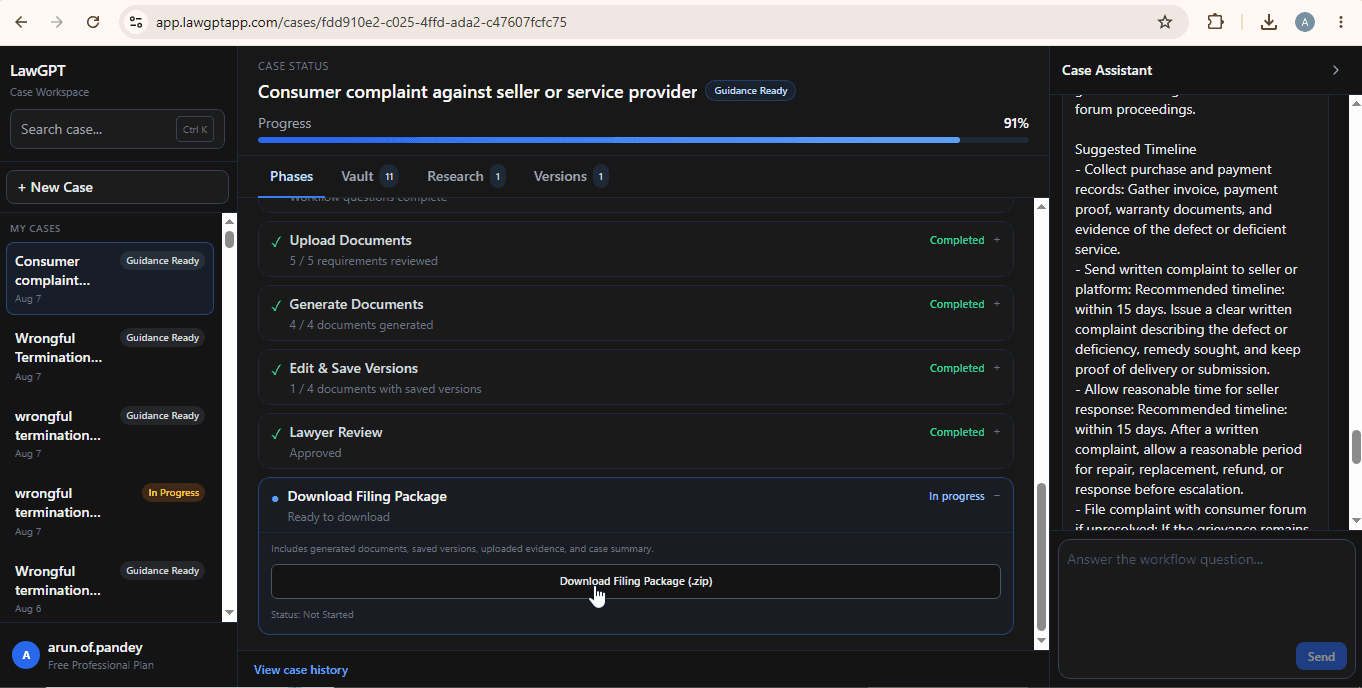
Export a complete filing-ready package.
Authorities involved
Consumer Complaint workflows are structured with the forums commonly involved in consumer protection disputes.
Authority
Primary forum for many consumer complaints within the prescribed claim value.
Authority
Handles higher-value disputes and certain appeals from the District Commission.
Authority
Top consumer forum for specified high-value matters and further appeals.
Real product screens
Every image below is from the live Consumer Complaint workflow inside LawGPT.
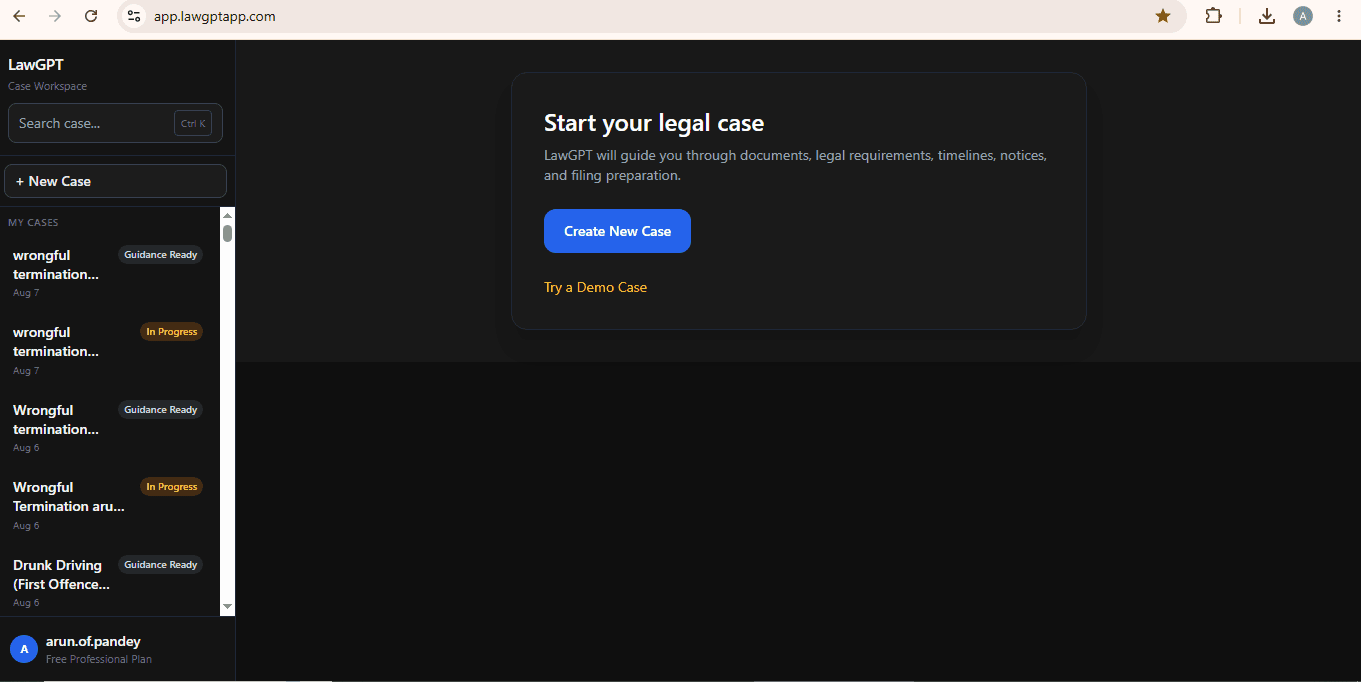
Dashboard
Start and manage consumer matters from one dashboard.
Chat
Collect deficiency and loss facts through Case Assistant.
Notice
Edit a lawyer-grade notice generated from your answers.
Complaint
Review the Consumer Commission complaint draft.
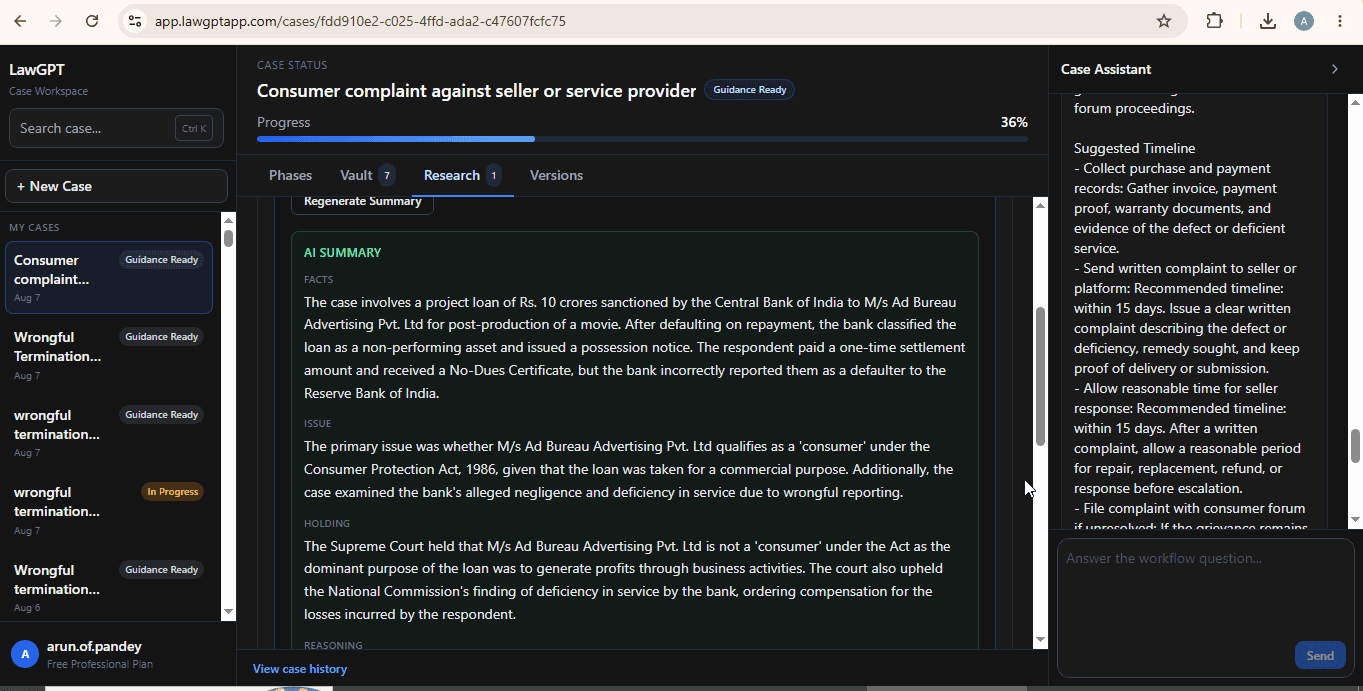
Research
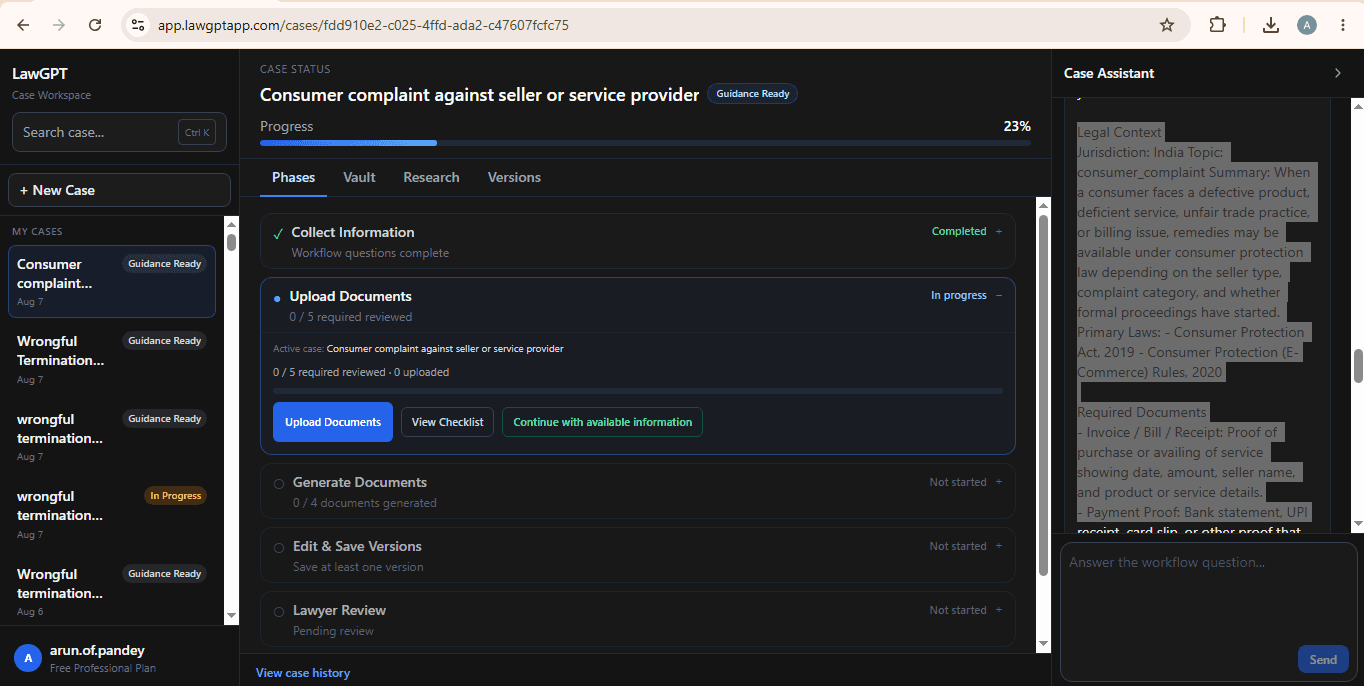
Context and next steps linked to your case.
Package
Download the complete package when ready.
Product walkthrough
Explore every major product screen—from case creation to filing package.
Dashboard
Start from the LawGPT dashboard and create a new case.
FAQ
Straight answers about this workflow before you start.
A consumer complaint is a structured record of a grievance about a product or service—such as a defect, poor service, or a refund dispute—and the relief you are seeking. It may be sent to the company as a notice and, if you continue, prepared as a draft for a Consumer Commission. LawGPT does not decide whether your facts amount to a maintainable complaint.
Related legal guides
Practical guides that pair with this workflow—then return to the platform when you are ready to act.
Related reading: AI legal document generation · Legal AI in India
Ready to begin
Answer guided questions, generate lawyer-grade documents, and leave with a package you can review, refine, and file.