
Information to document
Note the incident, date and place, what you told the station, who you spoke to if you know, and any written or verbal refusal. Keep copies of what you already submitted.
Police Refusing FIR workflow
If police refuse to register an FIR, a written record of the incident, the station visit, and the response can help when you consider further steps. Keep names, dates, what you reported, and any evidence you already have. LawGPT’s Police Refusing FIR workflow collects those facts and helps you generate a complaint to the Superintendent of Police, escalation drafts, a case summary, and a next-steps brief you can edit.
Plays inside LawGPT · no YouTube redirect
The problem
Many refusals happen at the counter with no paper trail. Putting the incident, the police station, and the response in one file makes later complaints clearer. This page describes high-level options already used on this site; it does not invent criminal procedure rules.
Note the incident, date and place, what you told the station, who you spoke to if you know, and any written or verbal refusal. Keep copies of what you already submitted.
Collect photos, messages, medical or other records that support the allegation, plus the police station name and any diary or receipt numbers you were given.
This site already describes station-level reporting, written escalation to an SP or DCP office, and, in some cases, approaching a Magistrate. A lawyer should confirm the path that applies to your facts.
Why LawGPT
You create a Police Refusing FIR case, answer questions about the incident and the refusal, upload evidence, generate drafts, optionally request lawyer review, and download a package of those materials.
Answer focused questions about the incident, refusal facts, and evidence—so the case is structured from the start.
Generate escalation complaints—such as a complaint to the Superintendent of Police—tailored to your facts.
Hand the package to lawyer review when you want professional judgment on top of AI drafts.
Download generated documents, versions, and supporting materials in one organized package.
Interactive preview
Step through real LawGPT screens—from creating the case to downloading the filing package.
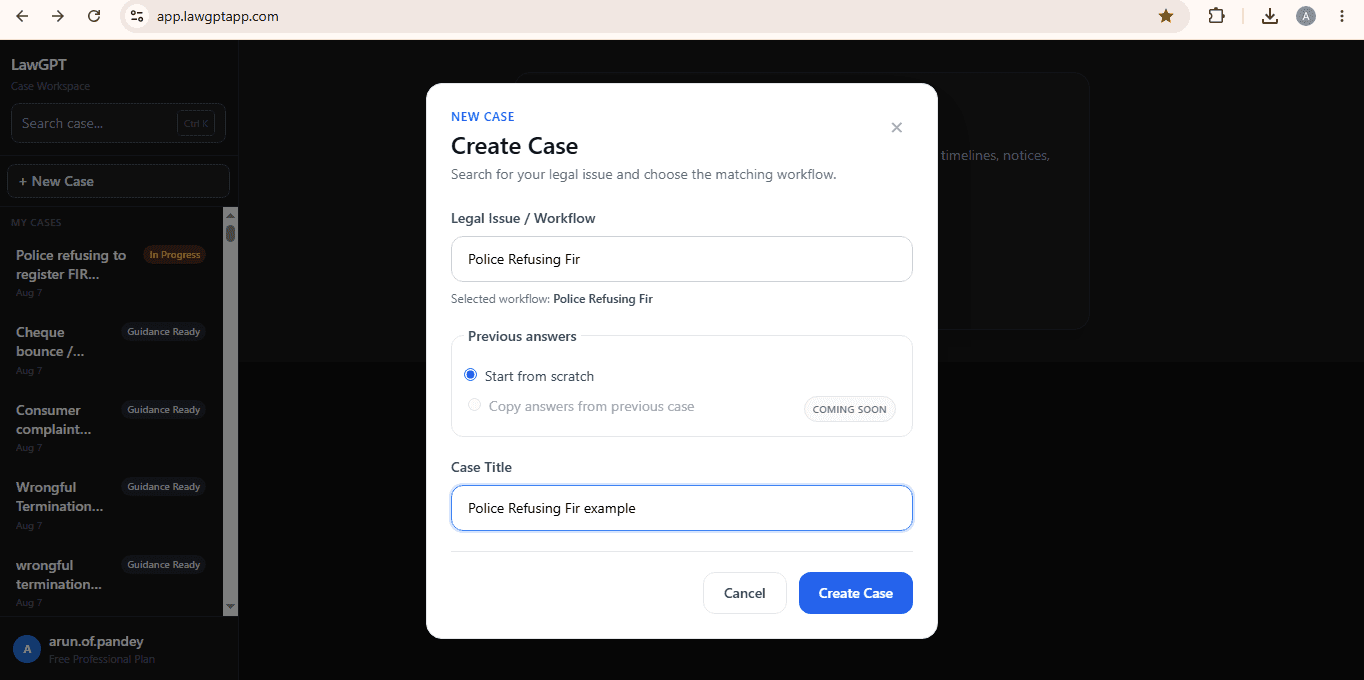
1 · Select
Create a case and select Police Refusing FIR as the matching legal workflow.
Outputs
This workflow currently generates a Complaint to the Superintendent of Police, escalation drafts, a Case Summary, and a Next Steps Brief. You can edit and version them. They are not automatically court-valid or lawyer-approved unless you use Lawyer Review+ on selected materials.
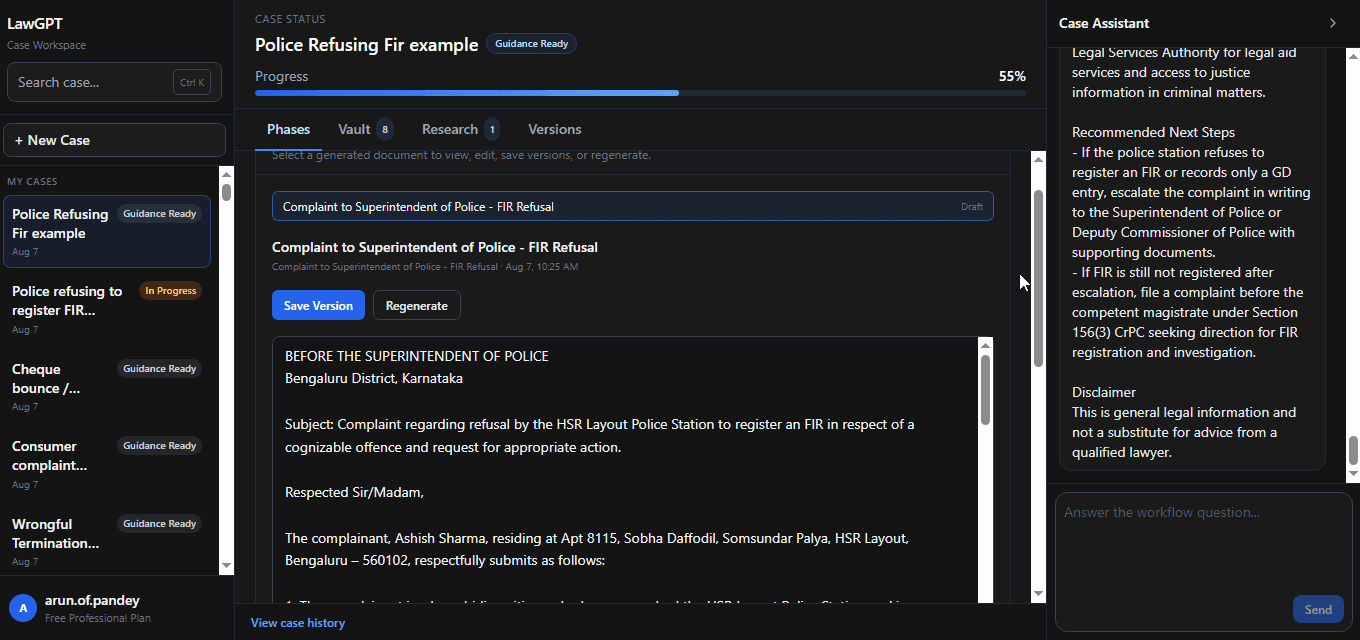
An escalation complaint capturing the incident, refusal facts, and the request for FIR registration.
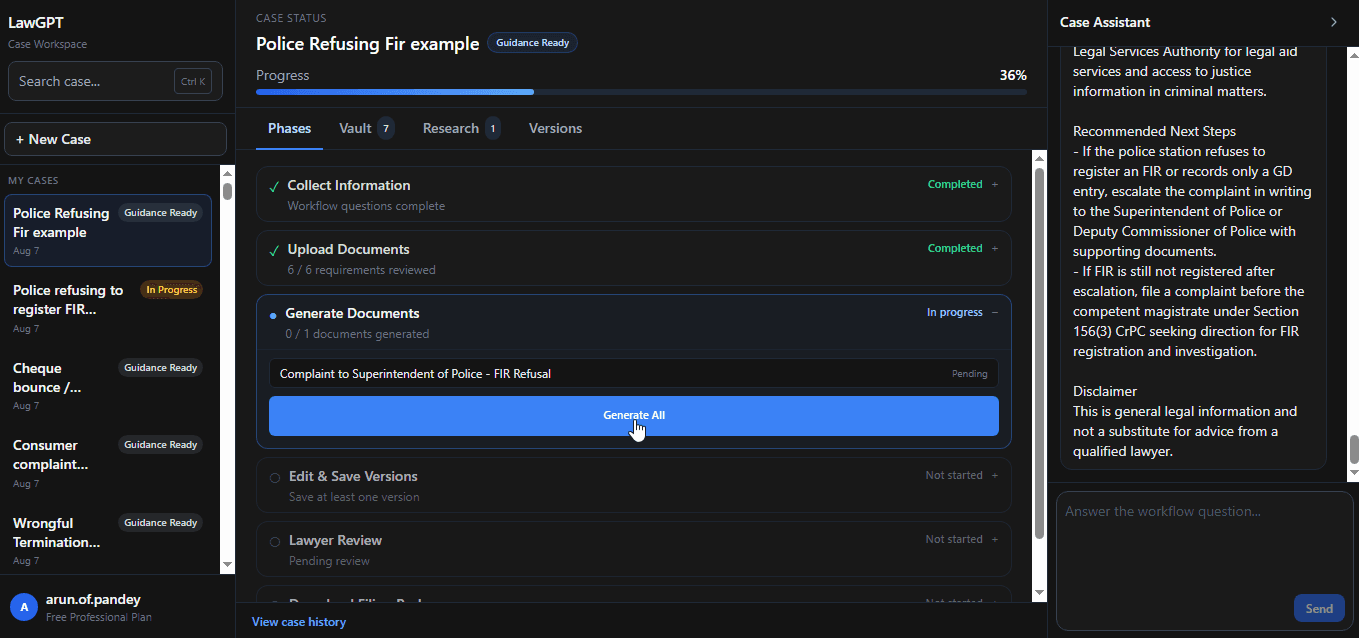
Document generation for the escalation package aligned to your case summary and chronology.
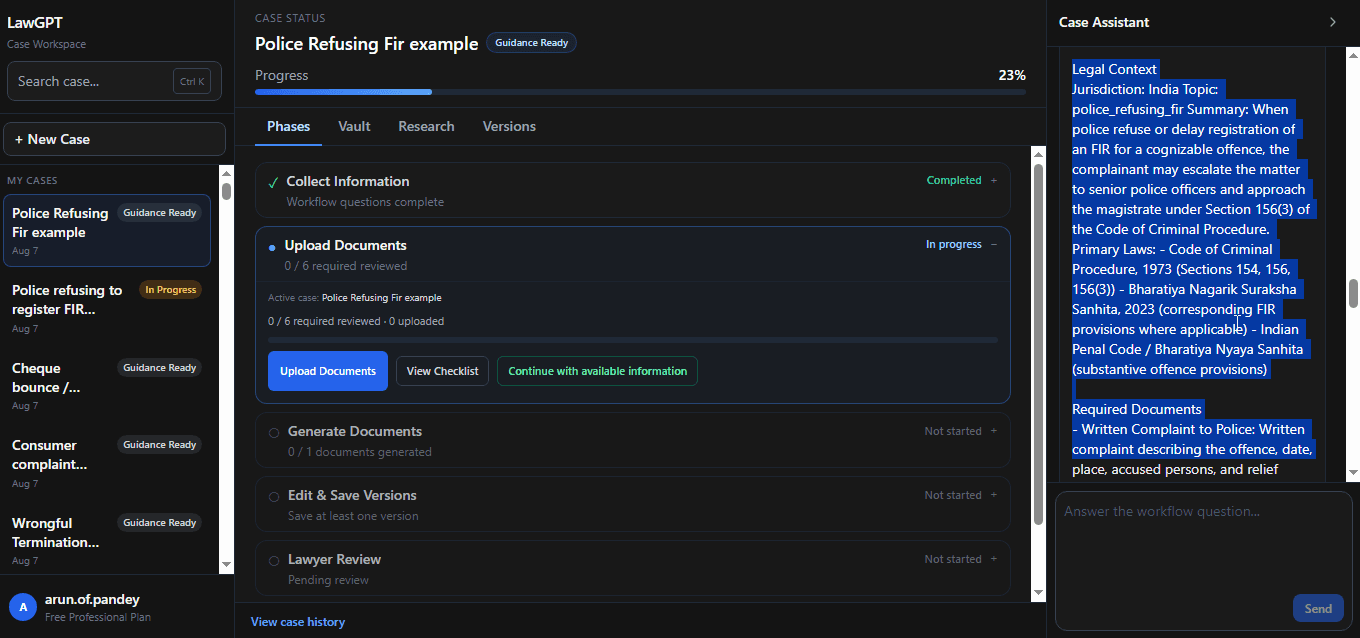
A structured summary of parties, incident facts, and key dates used across the workflow.
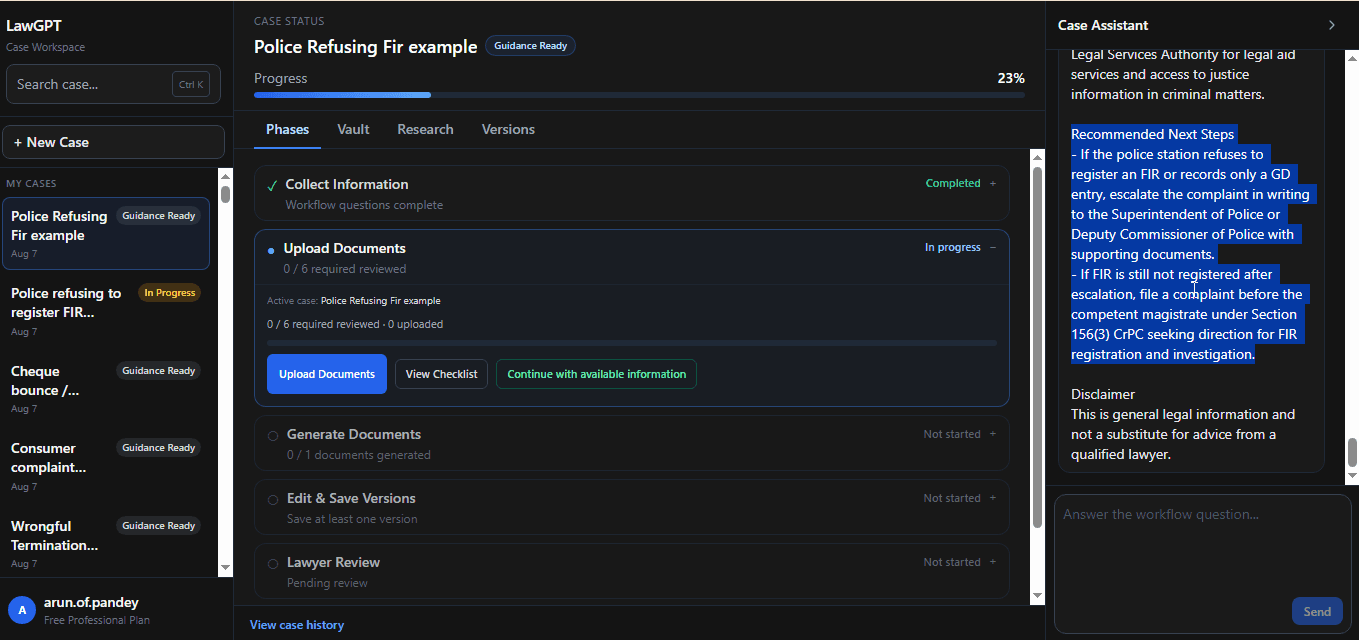
Recommended procedural next steps so you know what to do after documents are ready.
Timeline
A clear sequence designed like software—not a maze of disconnected forms.
Select Police Refusing FIR and name your matter.
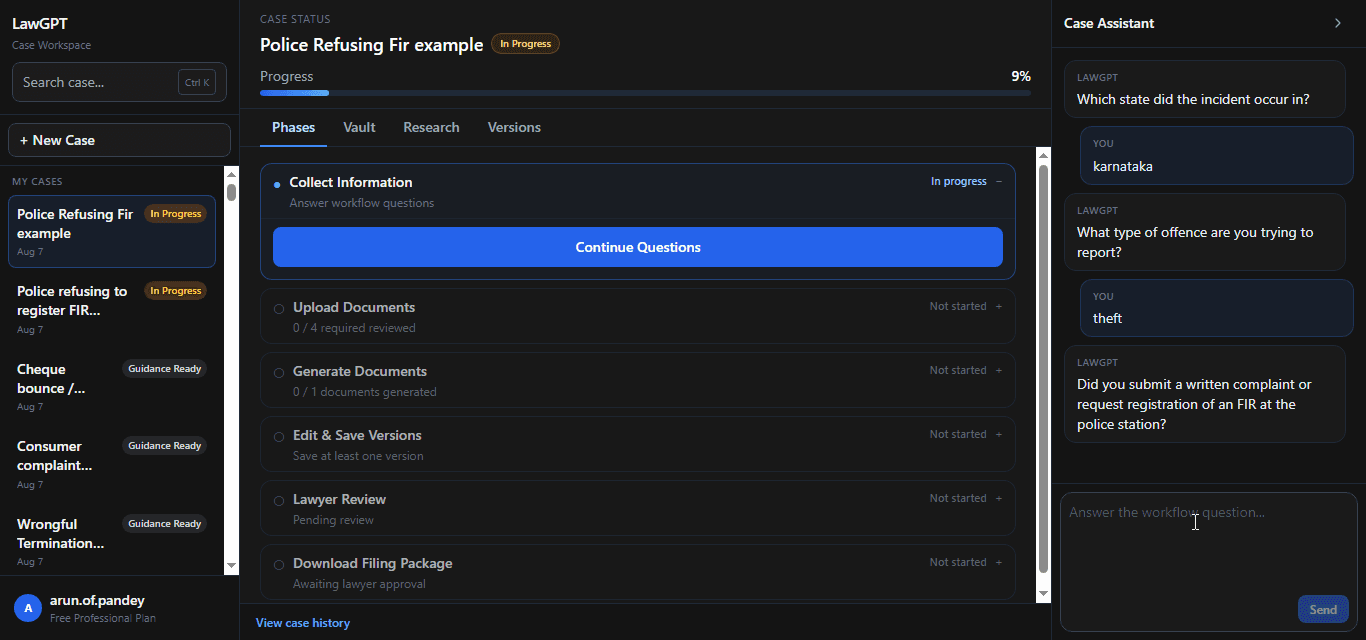
Complete intake with Case Assistant in the workspace.
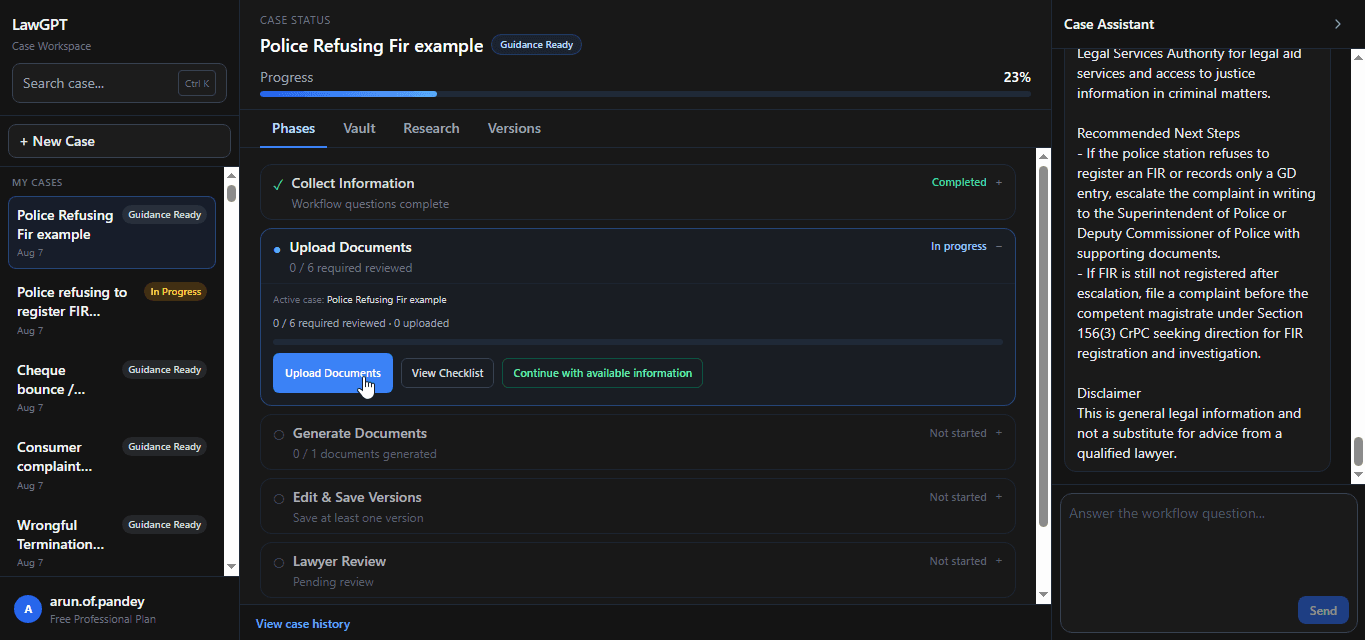
Add complaint notes, messages, and supporting documents.
Produce escalation complaint drafts from your structured facts.
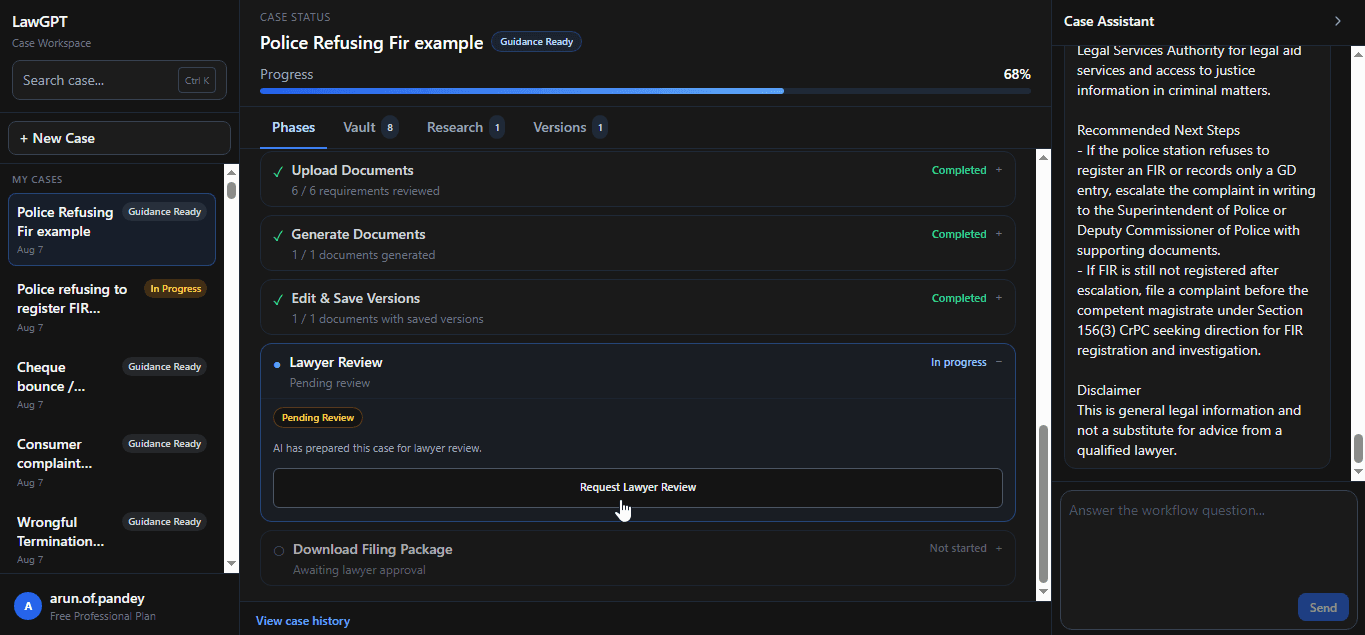
Optionally request professional review before filing.
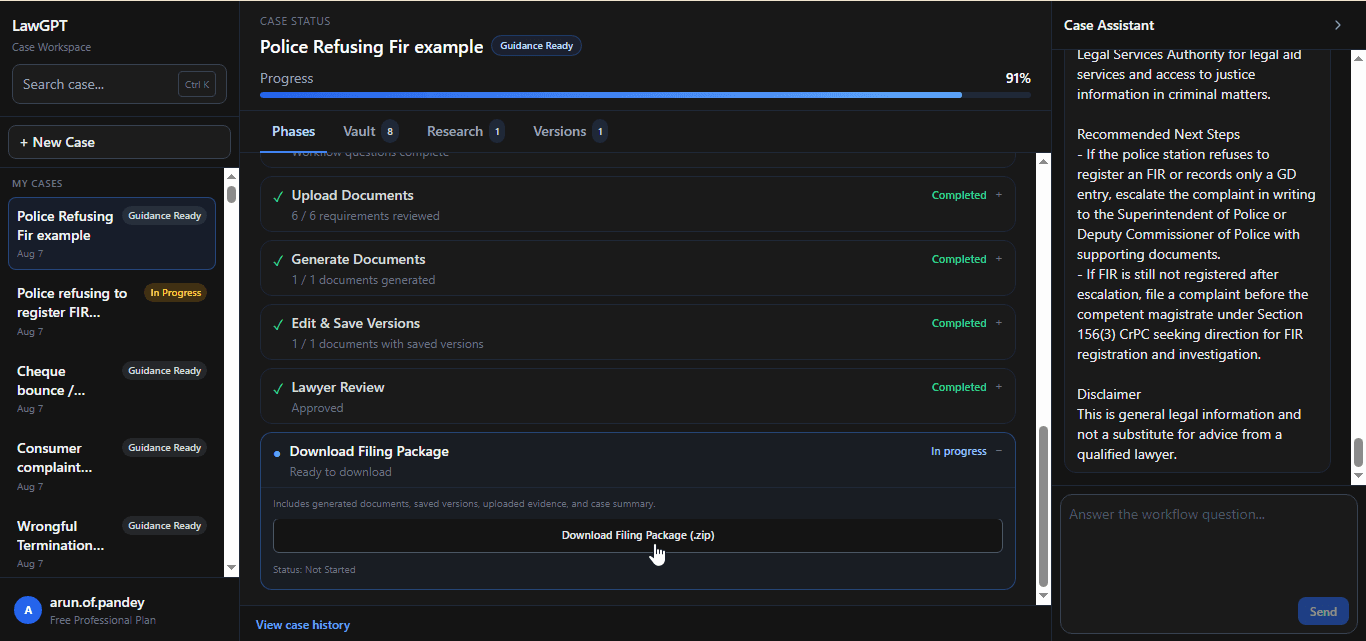
Export a complete filing-ready package.
Authorities involved
Police Refusing FIR workflows are structured with the authorities commonly involved after an FIR is not registered.
Authority
First point of report—and where refusal to register an FIR typically occurs.
Authority
Higher police authority for written escalation when the station refuses registration.
Authority
Judicial forum that may be approached for directions regarding investigation or registration.
Real product screens
Every image below is from the live Police Refusing FIR workflow inside LawGPT.
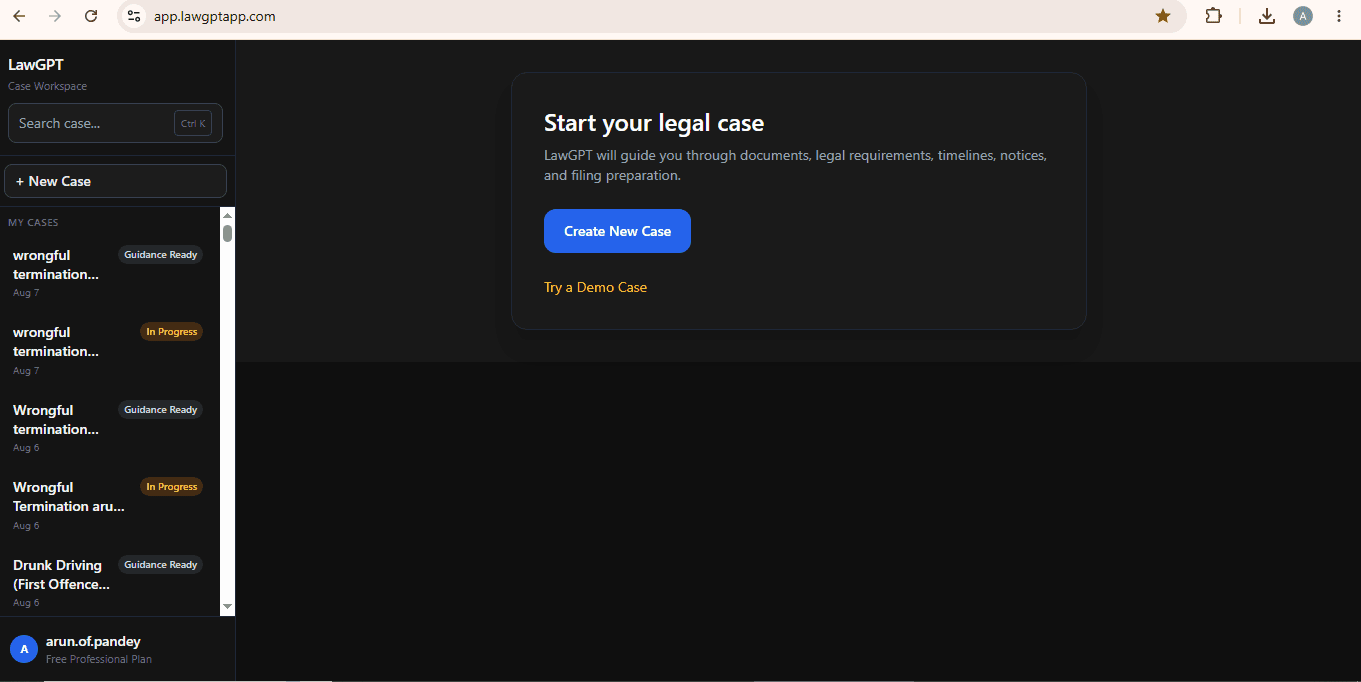
Dashboard
Start and manage FIR refusal matters from one dashboard.
Chat
Collect incident and refusal facts through Case Assistant.
Complaint
Edit a lawyer-grade escalation complaint generated from your answers.
Generate
Produce the drafts that feed your escalation package.
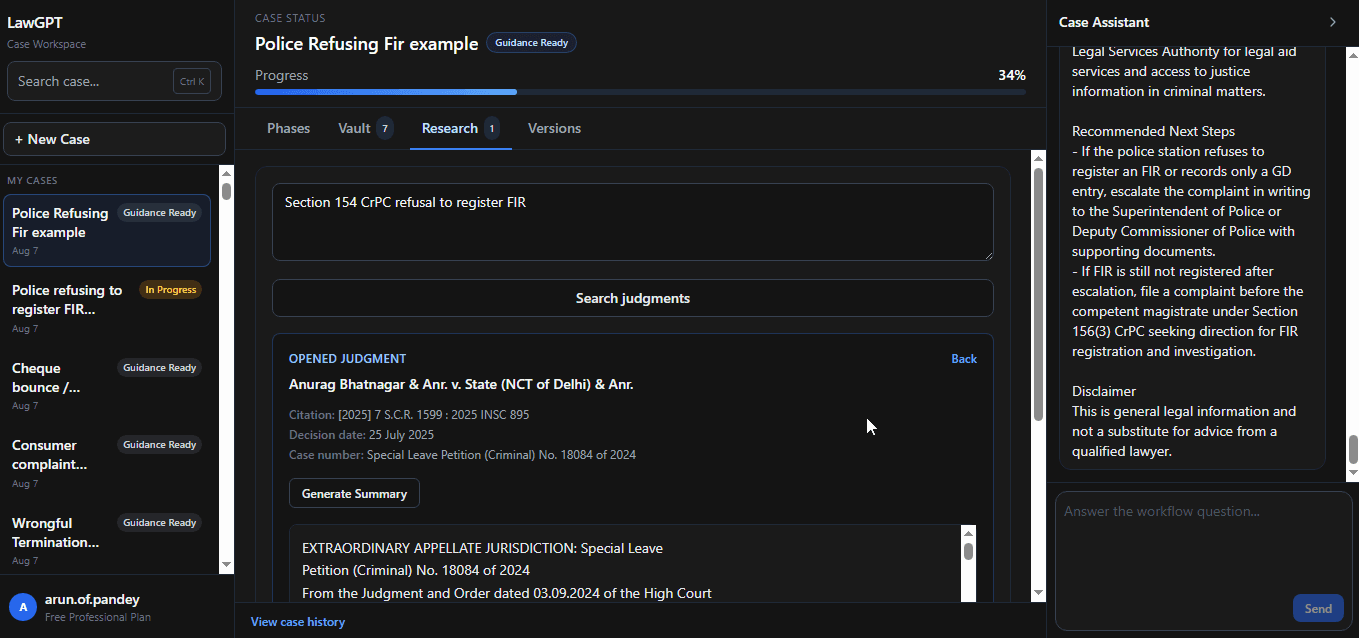
Research
Context and next steps linked to your case.
Package
Download the complete package when ready.
Product walkthrough
Explore every major product screen—from case creation to filing package.
Dashboard
Start from the LawGPT dashboard and create a new case.
FAQ
Straight answers about this workflow before you start.
Keep a written record of the incident, the police station, what you reported, and the response. Save evidence you already have. Next steps vary; this site describes station-level records, written escalation to an SP or DCP office, and, in some cases, a Magistrate. Confirm the path with a lawyer when the matter is urgent or factually contested.
Related legal guides
Practical guides that pair with this workflow—then return to the platform when you are ready to act.
Related reading: Legal AI in India
Ready to begin
Answer guided questions, generate lawyer-grade documents, and leave with a package you can review, refine, and file.